Universal Credit Journal Guide: Deletion Rules, Avoiding Sanctions, and Managing Tasks
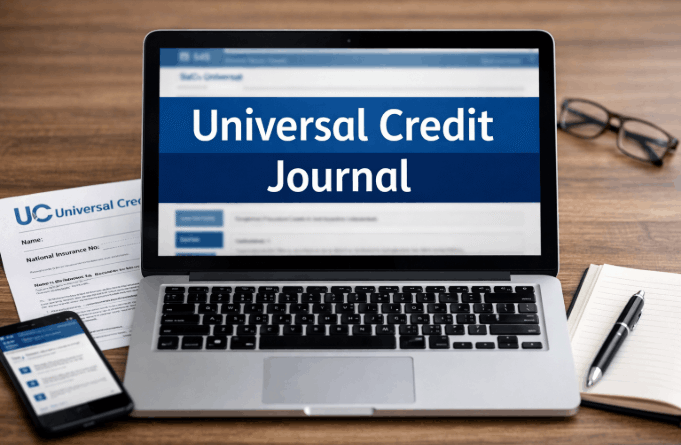
A universal credit journal is the secure messaging and record system inside a claimant’s Universal Credit online account, used to message the Department for Work and Pensions, complete to do tasks, and store a timestamped history of the claim.
Figures and rules in this guide reflect Universal Credit policy as confirmed for the 2026 to 2027 benefit year.
Key Takeaways
- DWP work coaches cannot delete journal entries written by a claimant, under guidance confirmed in a written Parliamentary answer.
- Staff authored journal entries can be deleted within 30 days of being created if they contain an error or sensitive information added by mistake.
- Universal Credit journal entries are retained for 14 months after a claim closes, under the Department’s Information Management Policy.
What Is the Universal Credit Journal Used For?
The universal credit journal is the main channel for two way contact between a claimant and the Department for Work and Pensions. It replaces most letters and phone calls once a claim is active, so a claimant who relies on the post will miss almost everything that matters.
Every message a claimant sends, every to do a work coach assigns, and every payment notice generated by the system is logged here in date order.
According to the Department for Work and Pensions, the journal also forms part of the audit trail used when decisions are reviewed, including during a mandatory reconsideration or a tribunal hearing.
Claimants use it to report changes such as a new job or a change of address, ask questions about a payment, and upload documents like payslips or tenancy agreements.
Claimants use it to report changes such as a new job or a change of address, ask questions about a payment, and upload documents like payslips or tenancy agreements.
Some recent UK Universal Credit change updates have also altered how quickly certain changes need to be reported, so checking the latest rules alongside the journal is worth doing.
Work coaches use the same space to book appointments, request evidence, and record what was agreed during a call or meeting.
Work coaches use the same space to book appointments, request evidence, and record what was agreed during a call or meeting.
A claimant who checks the journal only when prompted by a text alert risks missing entries that arrive without one, since alerts are not guaranteed to fire every time. The journal works as the official record of a claim, so it needs the same attention as a letter from DWP.

How to Sign In and Access Your Universal Credit Journal?
Signing in to the universal credit journal requires a GOV.UK One Login account linked to an active Universal Credit claim. Most claimants sign in through the same GOV.UK page used when the claim was first made.
- Go to GOV.UK and search for sign in to Universal Credit.
- Select sign in and enter the GOV.UK One Login username and password set up during the claim.
- Use the reminder option if the login details have been forgotten.
- Once signed in, select the journal tab from the account homepage.
- Check for a text or email alert confirming new activity, though alerts are not always reliable.
A Universal Credit account requires an email address, a mobile number for verification codes, and identity verification using a passport or UK driving licence.
A Universal Credit account requires an email address, a mobile number for verification codes, and identity verification using a passport or UK driving licence.
Separate from journal access, DWP also carries out DWP Universal Credit bank account checks as part of ongoing claim verification, which is worth understanding alongside the sign in process.
Claimants who cannot verify online are invited to a Jobcentre Plus appointment instead, where staff confirm identity in person before account access is unlocked.
Claimants who cannot verify online are invited to a Jobcentre Plus appointment instead, where staff confirm identity in person before account access is unlocked.
Identity verification can take several working days if a passport or driving licence needs to be checked manually, so it is worth starting this step early.
Universal Credit Journal Versus To Do List: What Is the Difference?
The universal credit journal and the to do list are separate tools inside the same account, and confusing them is a common cause of missed deadlines. The journal is a message log; the to do list is a task tracker, and each behaves differently once an action is required.
A to do is a specific action set by a work coach, such as uploading a document or attending an assessment, and it carries its own deadline shown on the account homepage.
Once completed, it moves into the journal as a permanent record rather than disappearing. The table below sets out the practical distinction recognised under the Universal Credit Regulations 2013.
| Feature | Journal | To do list |
|---|---|---|
| Purpose | Two way messaging and history | Task tracking with deadlines |
| Who can post | Claimant and DWP staff | Generated by DWP only |
| Permanent record | Yes, becomes part of claim history | Moves to journal once complete |
| Missed action risk | Delayed response | Possible sanction referral |
Both tools sit on the same account homepage, so checking only one of them can mean a deadline or message gets missed. A claimant who only checks the journal for new messages can still miss an unread to do sitting in a separate tab.
How to Write a Universal Credit Journal Message That Gets a Response?
A universal credit journal message gets answered faster when it states a fact, a date, and a clear request in the first line. Vague or repeated messages slow down a response and can push genuinely urgent issues further down a busy queue.
- State the issue first: for example, started new job on 14 May 2026, need to update earnings.
- Include the relevant date or amount so the work coach does not have to ask a follow up question.
- Choose the closest category offered, such as change of circumstances or message for work coach.
- Keep the tone factual and avoid personal commentary unrelated to the claim.
- Mention any attachment by name so staff can confirm it has been received.
Avoid sending several short messages about the same issue within a single day, since this does not speed up a reply and can clutter the record DWP staff rely on. One clear message, followed by a phone call if the matter is urgent, is the most effective combination.
A clear, factual message also holds up better if a tribunal panel or an adviser reviews the journal at a later date.

Can a Work Coach Delete Your Universal Credit Journal Entries
A work coach cannot delete a journal entry written by a claimant, but DWP staff can delete their own entries within 30 days if an error was made. This distinction is frequently misunderstood.
What DWP Staff Can Delete?
A written answer from Minister Will Quince, given to Parliament, confirms that journal messages can be deleted in specific circumstances, including where a message was sent to the wrong claimant or contained sensitive information added in error. Staff guidance requires an explanation to be added afterwards in most cases.
Widely circulated claim: several guides state that nothing is ever deleted from a Universal Credit journal.
Correct position: staff-authored entries can be deleted within 30 days under defined conditions, while claimant-authored entries cannot be deleted by staff at all.
Source: Written Parliamentary answer confirming DWP policy on journal entry deletion.
What Claimants Can Recover?
Claimants can request a copy of their full data, including any deleted staff entries, through a Subject Access Request under data protection law. Deleted text can typically be recovered for the life of the claim and for up to 14 months after closure.
Understanding this distinction matters most when a claimant is challenging a decision or preparing evidence for a tribunal.
How Long Are Universal Credit Journal Entries Kept?
Universal Credit journal entries are kept for 14 months after a claim closes, then archived under the Department’s data retention rules. While a claim remains open, journal entries stay on the account indefinitely.
The Department for Work and Pensions confirmed in a written response that Universal Credit journal entries are not automatically deleted while a claim remains open, and are archived only once a claim has been closed for 14 months, in line with the Department’s Information Management Policy.
This retention period is the reason advisers often ask claimants to download older entries as a PDF before a claim closes, since archived material becomes harder to access quickly afterwards.
A claimant who closes a claim and reopens a new one later starts a fresh journal, so historic entries from the closed claim sit in the archive rather than the new account.
Documents uploaded through to do tasks follow a different rule. The Department has confirmed that some uploaded files are deleted after a set period to protect sensitive personal information, even though a record that the file was reviewed and verified is kept.
This is a separate process from journal message retention, and the rules for uploaded documents should not be confused with the rules for journal messages.

What Happens If You Miss a Universal Credit Journal Message or Get Sanctioned?
Missing a universal credit journal message can lead to a sanction if it relates to a claimant commitment requirement, though not every missed message results in one. Whether a sanction follows depends on what the message asked for.
If a work coach requested action tied to a claimant commitment and no response was given, a sanction referral may follow under the Welfare Reform Act 2012. If a sanction is applied, here is what to do.
- Check the journal for a message explaining the reason, level, and length of the sanction.
- Request a mandatory reconsideration through the journal within one month, setting out the good reason for missing the requirement. A sanction period can sometimes overlap with a gap in payment that the Universal Credit backdating rules 2026 may help resolve, depending on the circumstances of the claim.
- Apply for a hardship payment if essential costs cannot be covered during the sanction period.
- Appeal to the First tier Tribunal if the mandatory reconsideration does not change the outcome.
- Contact Citizens Advice for free support if the process feels unclear at any stage.
A sanction reduces payment but does not end a claim, and claimants are entitled to challenge a decision they believe is wrong.
Conclusion
The universal credit journal is the main record and messaging tool for a Universal Credit claim, and understanding its deletion and retention rules protects a claimant during disputes.
Use it promptly, keep messages factual, and request evidence early. The universal credit journal means a documented, recoverable record of a claim for UK claimants in 2026.
FAQ
How to download universal credit journal entries as a PDF?
Yes, this is possible directly from the account. Open the journal, select expand all entries, then use the browser print option and choose save as PDF. CPAG publishes a step by step version of this process for advisers.
Can DWP staff see deleted journal messages?
Yes. Staff with specific data access privileges can view and recover deleted entries, since deleted text is retained as part of the wider data set rather than permanently erased.
Is the universal credit journal monitored around the clock?
No. Messages can be sent at any time, but replies are not instant and routine queries can take several working days. Urgent issues should be raised by phone instead.
What should be avoided when writing in a universal credit journal?
Abusive language, repeated identical messages, and unrelated personal opinions should be avoided. These can delay a response and, in serious cases, lead to a formal warning.
Can a Universal Credit claim be closed through the journal?
Yes, a claim can usually be closed by adding a request through the journal. Advice should be sought first, since closing a claim can affect other linked benefits and transitional protection.
Disclaimer: This guide is for informational purposes only and does not constitute formal legal or financial advice; check official GOV.UK guidelines for your specific claim.