How to Do a Self Assessment in the UK: Register, File Online, Calculate Tax and Pay by 31 January
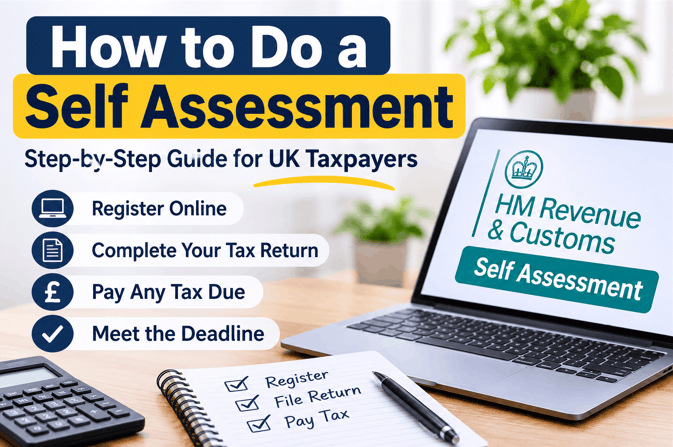
Self Assessment is HMRC’s system for reporting income that is not taxed through PAYE. This guide explains how to do a Self Assessment in the UK, from checking whether you need to file and registering with HMRC to completing the return, understanding your tax bill and paying by 31 January.
HMRC’s online service on GOV.UK is free; figures reflect guidance published as of November 2026.
Key Takeaways
- Online returns and the tax payment are due by 31 January; first-time registrants must notify HMRC by 5 October.
- Sole traders with over £1,000 of trading income must file; GOV.UK’s current list has no £150,000 trigger.
- HMRC’s online registration service shows a new Unique Taxpayer Reference (UTR) within 72 hours.
- A late return costs £100 at once, even when no tax is owed.
- HMRC calculates the tax from reported income, so no tax band is chosen.
What Is Self Assessment? How the Process Works
Self Assessment runs on a yearly cycle built around the tax year, which lasts from 6 April to 5 April.
A return reports income from that year, and the filing deadline falls in the following January. Employees taxed through Pay As You Earn (PAYE), where an employer deducts tax from wages, usually need no return.
Self Assessment covers income that PAYE misses, such as trading profit, rent, tips, commission and foreign income.
The cycle has four stages: register with HMRC, report income on the return, read HMRC’s tax calculation, and pay what is owed. HMRC produces the calculation from the figures reported, so taxpayers do not work out the bill themselves.
Do You Have to Do a Self Assessment? Who Must File
A Self Assessment return is compulsory only when a specific trigger applies, such as trading income above £1,000.
You may need to send a return if, in the last tax year, you:
- Were self-employed as a sole trader and earned more than £1,000 before deducting expenses
- Were a partner in a business partnership
- Had to pay Capital Gains Tax, the tax on profit from selling an asset that rose in value
- Had to pay the High Income Child Benefit Charge, the charge on Child Benefit once income passes £60,000, and do not pay it through PAYE
- Had other untaxed income of more than £2,500, such as rent, tips or commission
- Had gross property income between £1,000 and £2,500, which means contacting HMRC to find out whether a return is needed
Some older guides still list income above £150,000 as a trigger, but GOV.UK’s current list does not. HMRC also lets some families pay the High Income Child Benefit Charge through PAYE, which can remove the need for a return.
Use HMRC’s online checker on GOV.UK to get a tailored answer. The checker can help you decide whether to send a return, but you remain responsible for checking that the information you provide is complete and accurate.
Tell HMRC online when a return is no longer needed; otherwise reminders continue, and a penalty can apply, even with no tax owed. If the checker says a return is needed, the next two sections cover dates and registration.

Self Assessment Key Dates: Register, File Online or on Paper, and Pay
Online returns and the tax payment are both due by 31 January after the tax year ends.
| Task | Standard rule | Date for the 2025/26 return |
|---|---|---|
| Register for Self Assessment for the first time | 5 October after the tax year ends | 5 October 2026 |
| File a paper return | 31 October after the tax year ends | 31 October 2026 |
| File online and pay through a tax code | 30 December after the tax year ends | 30 December 2026 |
| File online | 31 January after the tax year ends | 31 January 2027 |
| Pay the tax owed | 31 January after the tax year ends | 31 January 2027 |
| Make payments on account, where required | 31 January and 31 July | 31 January 2027 and 31 July 2027 |
A paper return, filed on form SA100, must reach HMRC by 31 October. A taxpayer who misses that date can still file online by 31 January. Paper forms can be downloaded from GOV.UK or requested from HMRC.
The dates in the final column apply to the 2025/26 tax year, which ended on 5 April 2026. Every later year follows the same pattern, one year on.
How to Start a Self Assessment for the First Time: Register and Get Your UTR
First-time filers must register for Self Assessment by 5 October after the tax year ends; for the 2025/26 return, that date was 5 October 2026.
- Register for Self Assessment on GOV.UK. Reactivate the account instead if it was registered before, but no return was needed last year.
- After registering, HMRC will issue a Unique Taxpayer Reference (UTR), the 10-digit number that identifies a taxpayer. HMRC will also send a Notice to File when it is time to complete a return.
- Look in the HMRC online account or app for the UTR before waiting for the post.
- Set up the Government Gateway account used to sign in to HMRC online services, or recover the user ID and password if they are lost.
- Keep the UTR and National Insurance number together for the return.
HMRC announced on 9 September 2026 that its improved registration service shows a new UTR in the taxpayer’s online account within 72 hours, instead of up to 15 days by post. Guides that quote longer waits, such as three weeks, describe the older postal route.
Registering after 5 October brings a letter with a later filing deadline, normally three months from the letter date. The 31 January payment date does not move, and a failure-to-notify penalty can apply.
What to Gather Before You Start: Records and Which Income to Include
The return covers all income from the tax year, taxed or not, and records for each source should be gathered before starting.
| Income type | Records to gather | Return page |
|---|---|---|
| Employment taxed through PAYE | P60, P45 after a job change, P11D for benefits | Employment page (SA102) |
| Self-employment | Sales records, receipts and expense records | Self-employment page (SA103S short or SA103F full) |
| Partnership | Partnership income records | Partnership page (SA104) |
| Rental income | Rent received and property costs | UK property page (SA105) |
| Overseas income | Records of income from abroad | Foreign page (SA106) |
| Capital gains | Records of assets sold or disposed of | Capital gains page (SA108) |
| Savings, dividends, pensions and reliefs | Bank and dividend statements, pension statements, Gift Aid records | Main return (SA100) |
Savings interest can affect the tax due, so it helps to understand how HMRC taxes savings interest before completing this section.
Most income sources have their own section online, so each source is reported separately and backed by records kept as evidence. Some personal details, including the UTR, are already visible in the HMRC online account or app.
The £1,000 trading allowance and £1,000 property allowance work as flat alternatives to claiming expenses. Claiming an allowance rules out deducting actual expenses from the same income.
For a first-time return, collect records for the tax year being reported, from 6 April to 5 April, before opening the return.
How to Do a Self Assessment Tax Return Online, Step by Step
Filing online means signing in to HMRC’s service, completing the sections that apply, saving progress, and submitting once the return is complete.
To complete a Self Assessment return online, save your progress as you go and submit it only when HMRC’s progress bar shows 100% complete. A submitted return can still be changed online later, which may raise the tax owed or create a refund claim.
- Sign in to the Government Gateway account on GOV.UK and open the Self Assessment return.
- Answer the opening questions about income types so that only the relevant pages appear: the main return (SA100) plus any supplementary pages for employment, self-employment, property or similar.
- Enter personal details, then income for each source, using the records gathered earlier.
- Enter business expenses. Sole traders with turnover of £90,000 or less can usually report one total instead of itemising each cost.
- Claim the reliefs that apply, such as pension contributions and Gift Aid donations. If you contribute to a personal pension, self-employed pension tax relief can affect the amount you can reclaim.
- Check every section, then read the tax calculation to see the Income Tax and National Insurance due.
- Submit the return and keep the confirmation message.
How long does it take to file online?
HMRC’s preparation guidance gives no standard completion time. A return can be saved and finished in several sessions. Completion time therefore depends on the number of income sources and how ready the records are.

How a Tax Self Assessment Is Calculated, and Why You Do Not Choose a Tax Band
HMRC calculates the bill from reported income and applies the Income Tax bands itself.
In a tax self assessment, taxpayers do not choose a tax band. They report income, allowances and reliefs, and the resulting calculation places each slice of taxable income in the Personal Allowance, basic-rate, higher-rate or additional-rate band. Band placement is automatic.
For England, Wales and Northern Ireland, the first £12,570 of income is the tax-free Personal Allowance. Taxable income from £12,571 to £50,270 is taxed at 20%, up to £125,140 at 40%, and above that at 45%.
Scotland uses different bands, and the Personal Allowance shrinks above £100,000 and disappears above £125,140.
Generic illustration with round hypothetical figures: on income of £30,000 in England, the Personal Allowance covers the first £12,570. The remaining £17,430 is taxed at 20%, giving £3,486 of Income Tax before National Insurance and any reliefs.
The calculation also shows whether tax was overpaid. A refund arises only then. HMRC may deduct it from tax due within the next 45 days, including a payment on account. The same calculation sets the payments on account covered in the section on paying the bill.
How to Pay Your Self Assessment Tax Bill
The bill is due by 31 January, and bank payments through Faster Payments usually reach HMRC on the same or next day. You can pay the amount you owe in instalments before the deadline, for example through weekly or monthly payments, a one-off bank payment or a single Direct Debit.
- Online bank account: The payment is approved through the taxpayer’s online or mobile banking.
- Bank transfer: Faster Payments usually arrive the same day or the next day, CHAPS usually arrives the same working day if paid within the bank’s processing times, and Bacs usually takes three working days.
- Direct Debit: A single payment can be set up for each bill; a new Direct Debit can take five working days, while one already set up with HMRC can take three working days.
- Debit card online: Payment is available online, but check HMRC’s current payment page for any applicable card fee before paying.
- Weekly or monthly plan: A Budget Payment Plan collects Direct Debit payments towards a future Self Assessment bill.
- Tax code: Employees and pensioners paying tax through PAYE can pay through their tax code when the bill is under £3,000, and the online return is filed by 30 December; other conditions apply.
The payment reference is the 10-digit UTR followed by the letter K, 11 characters in all. A wrong reference can delay the payment or send it to a different tax bill.
Payments on account are advance payments towards the next year’s tax bill, built on the figure the calculation produces.
They fall due on 31 January and 31 July, each normally half of the previous year’s bill. The second payment on account is due by 31 July.
GOV.UK states that none is needed when the last bill was under £1,000 or when at least 80% of the tax was deducted at source.
Illustration with round hypothetical numbers: after a £4,000 bill, each payment on account would normally be £2,000. Where profit is expected to fall, a claim can reduce the amounts. If the reduction is too large and a balancing payment becomes due, HMRC can charge interest on the difference.
After You Submit: What Happens Next and What to Keep
A submitted return produces a confirmation and a tax calculation, and any tax owed is still due by 31 January.
Online filers can view the calculation in their HMRC online account before submitting the return, although it cannot be viewed for up to 72 hours after submission. Paper filers receive their calculation by post. GOV.UK provides a service to obtain an SA302 tax calculation for the last four years.
A confirmation message appears on submission, and keeping a copy gives proof the return was sent. HMRC can ask to see records behind any figure, so evidence for each entry matters.
Self-employed taxpayers must keep records for at least five years after the 31 January deadline, according to HMRC’s Tax Confident guidance. For the 2025/26 tax year, that means until at least 31 January 2032.
What Is the Penalty for Not Filing a Self Assessment on Time?
A late Self Assessment return triggers an automatic £100 penalty from the first day, even when no tax is owed.
| Delay in filing | Late filing penalty |
|---|---|
| From the first day late | £100 fixed penalty |
| More than 3 months late | £10 a day, capped at £900 |
| 6 months late | The greater of 5% of the tax due or £300 |
| 12 months late | The greater of 5% of the tax due or £300 again |
Late payment carries separate charges of 5% of the unpaid tax at 30 days, six months and 12 months. Interest is also charged on tax paid late. A tax self assessment return filed 12 months late, with no tax due, can still reach £1,600 in late filing penalties.
File the return and pay as soon as possible after missing a deadline, since penalties keep growing. Use GOV.UK’s late penalty estimator to see the likely charge.
What to Do If Your Self Assessment Is Rejected or Does Not Go Through
Problems when doing a Self Assessment online usually fall into two groups: signing in or registering, and correcting a return after submission. HMRC’s published guidance gives no list of rejection reasons.
Sign-in and registration problems
A first return cannot start without a UTR and access to HMRC online services. Taxpayers who filed before but skipped last year’s return must reactivate their account first. HMRC runs technical support for online-service sign-in problems and a digital assistant for questions about the return.
Correcting a return after you submit it
HMRC’s guidance allows an online return to be changed after submission, with a wait of about three days. Corrections can be made up to 12 months after the filing deadline. A change can raise the tax owed or create a refund claim.
Wait three days after submitting, then sign in and amend the return online. Contact HMRC promptly if a mistake means tax is owed, because uncorrected errors can lead to a penalty.

Making Tax Digital for Income Tax: Does It Change How You Do a Self Assessment?
Making Tax Digital (MTD) for Income Tax changes nothing for taxpayers below the income threshold, who keep filing an annual Self Assessment return.
MTD applies from 6 April 2026 to sole traders and landlords whose combined self-employment and property income is above £50,000 a year. The threshold falls to £30,000 from 6 April 2027 and £20,000 from 6 April 2028.
HMRC applies no penalty points for late quarterly updates in the first year, 2026 to 2027. Taxpayers within MTD keep digital records and send quarterly updates through compatible software. A final declaration follows after the tax year ends.
A Self Assessment return is still required for the tax year before MTD starts. Check GOV.UK’s Making Tax Digital guidance to see when sign-up is required for the income level involved.
Free Official Help With Self Assessment and Who to Contact
HMRC provides free Self Assessment help through a digital assistant, guidance notes, videos and an online account, and MoneyHelper publishes a free guide to filling in a return.
- Use HMRC’s online guidance and support services for answers about the return.
- Read HMRC’s guidance notes, help sheets and videos on GOV.UK.
- Use the HMRC app or Personal Tax Account to find the UTR, make a payment and view employment income details.
- Contact HMRC’s online services helpdesk for sign-in problems, or use the HMRC Self Assessment contact number for tax return, payment and notice queries.
- Ask HMRC or a voluntary or community sector organisation for extra support when a return is difficult to complete.
- Find the current Self Assessment helpline number and opening hours on GOV.UK’s Self Assessment general enquiries page.
Unexpected texts or emails claiming to be from HMRC about Self Assessment are a known scam pattern, and genuine contact details are listed on GOV.UK.
Conclusion
To complete a Self Assessment return, confirm whether you need to file, register by 5 October if this is your first return, file online by 31 January, and pay any tax due on time. HMRC calculates the bill, official help is free, and the rules above reflect GOV.UK and HMRC guidance as of November 2026.
A missed date costs £100 immediately.
FAQs
Can you do a self assessment without an accountant?
Yes. The free HMRC online service lets taxpayers complete and submit the return themselves, and an accountant is optional. Anyone wondering how to do a Self Assessment alone can use HMRC’s guidance; complex affairs, such as several income sources, can justify paid help.
Will HMRC tell me if I need to do a self assessment?
Not always. HMRC may send a Notice to File or reminders, but responsibility for knowing whether a return is needed rests with the taxpayer. HMRC’s online checker can help you work out whether you need to send a return.
How long does it take to do a self assessment tax return online?
No standard completion time is published. The online return can be saved and finished across several sessions, so the time depends on the number of income sources and the state of the records. First-time registration adds a wait of up to 72 hours for the UTR on HMRC’s online route.
Is a self assessment tax return compulsory in the UK?
Yes, when a legal trigger applies; otherwise no. Triggers include trading income above £1,000, partnership income, Capital Gains Tax due, untaxed income above £2,500, or the High Income Child Benefit Charge not paid through PAYE.
When is the last date to do a self assessment in the UK?
The online deadline is 31 January after the tax year ends, so 31 January 2027 for the 2025/26 return. Paper returns are due by 31 October, and first-time registrants must notify HMRC by 5 October.
This article is general information for the 2025/26 tax year and is not personal tax advice. Check GOV.UK or speak to a qualified adviser if your circumstances are complex.